

(Updated on January 16, 2026)
If you’re a photographer drowning in edits and wondering if Imagen AI is actually worth the hype, this review is for you.
I’ve personally used Imagen AI in my Lightroom workflow, and in this post I’m breaking down what it is, how it works, how it’s best for, and the pros and cons you should know before signing up.
If you’ve known me for any amount of time, you know that I have a super fast editing workflow. Over the past decade of being a wedding photographer, I have developed an editing system that allows me to deliver a wedding gallery within ONE week of the wedding. Yes, sometimes my couples are still on their honeymoon when they get their wedding gallery delivered to their inbox.
But what if I told you that I’ve recently discovered a tool that allows me to edit an entire wedding gallery in MINUTES?! Yes, you read that right… minutes.
Last year, a friend introduced me to Imagen AI. If you want to test Imagen AI for yourself, you can try it here → Imagen AI for photographers. (No credit card needed!)
What is Imagen AI?
Imagen AI is an AI-powered editing software that is able to learn your personal editing style and apply it consistently to an entire Lightroom catalog in minutes.
Mind blown?!
So was I… so I knew that I had to give it a try!
If you’re curious about other tools like this, check this article on the 10 Best AI Photo Editors for Photographers. It’s a great roundup of what’s out there right now.
How Imagen AI Works
- First, you’ll need to train AI to learn your editing style. From your dashboard, go to AI Profiles → Add a Profile. Here, you’re going to have two options:
- Create your own profile
- Use a talent profile
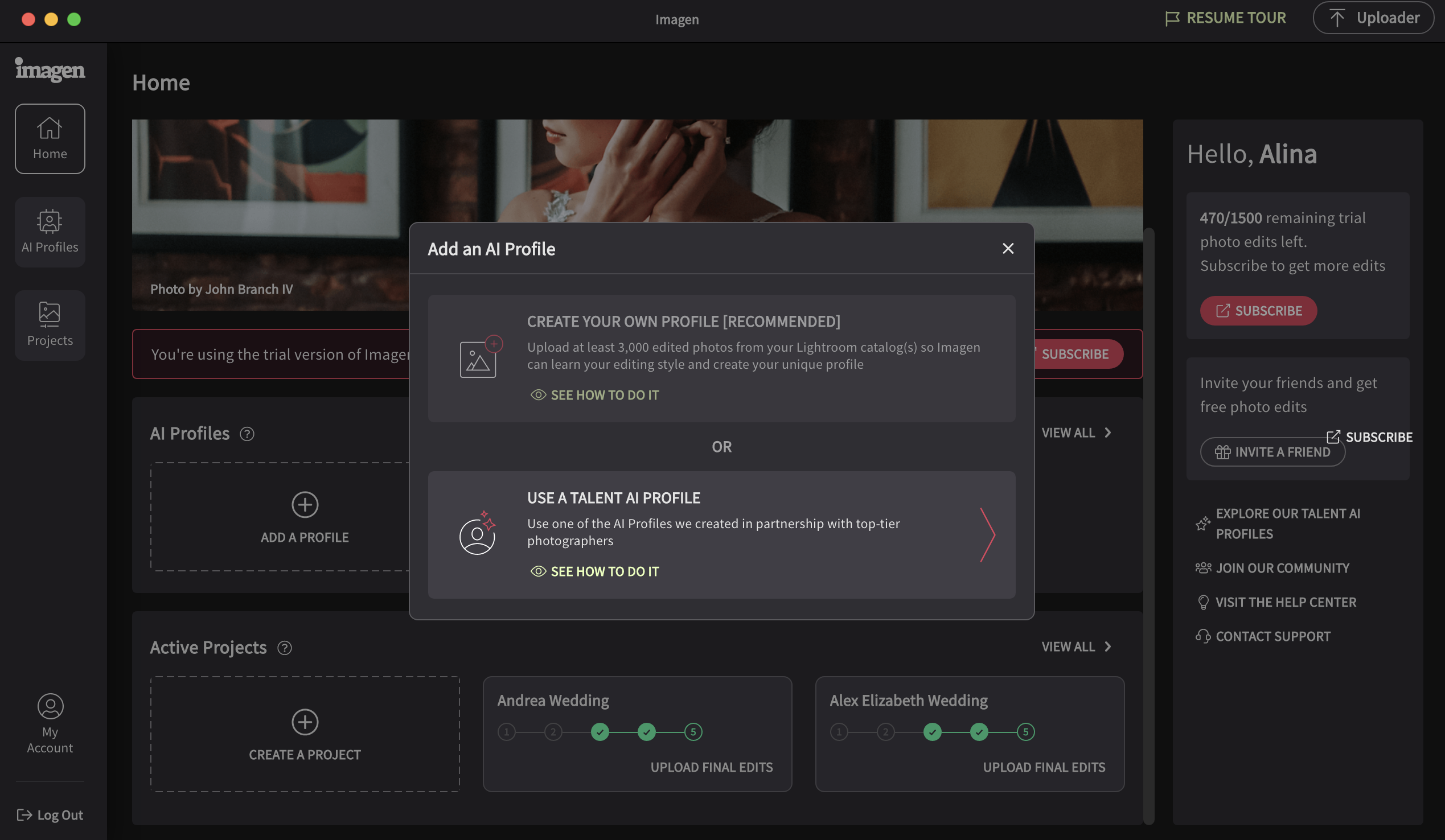
Use the “Create Your Own Profile” option and upload between 3,000-5,000 images so that Imagen AI can learn your editing style. Make sure to use only your most recent work so that the edits Imagen AI produces will accurately reflect your current editing style.
It’s going to take Imagen AI quite a bit of time to create your profile, so don’t panic. Come back a few hours later and your “Creator Profile” should be ready to go. Or, you can upload your images in the evening and let Imagen AI work overnight.
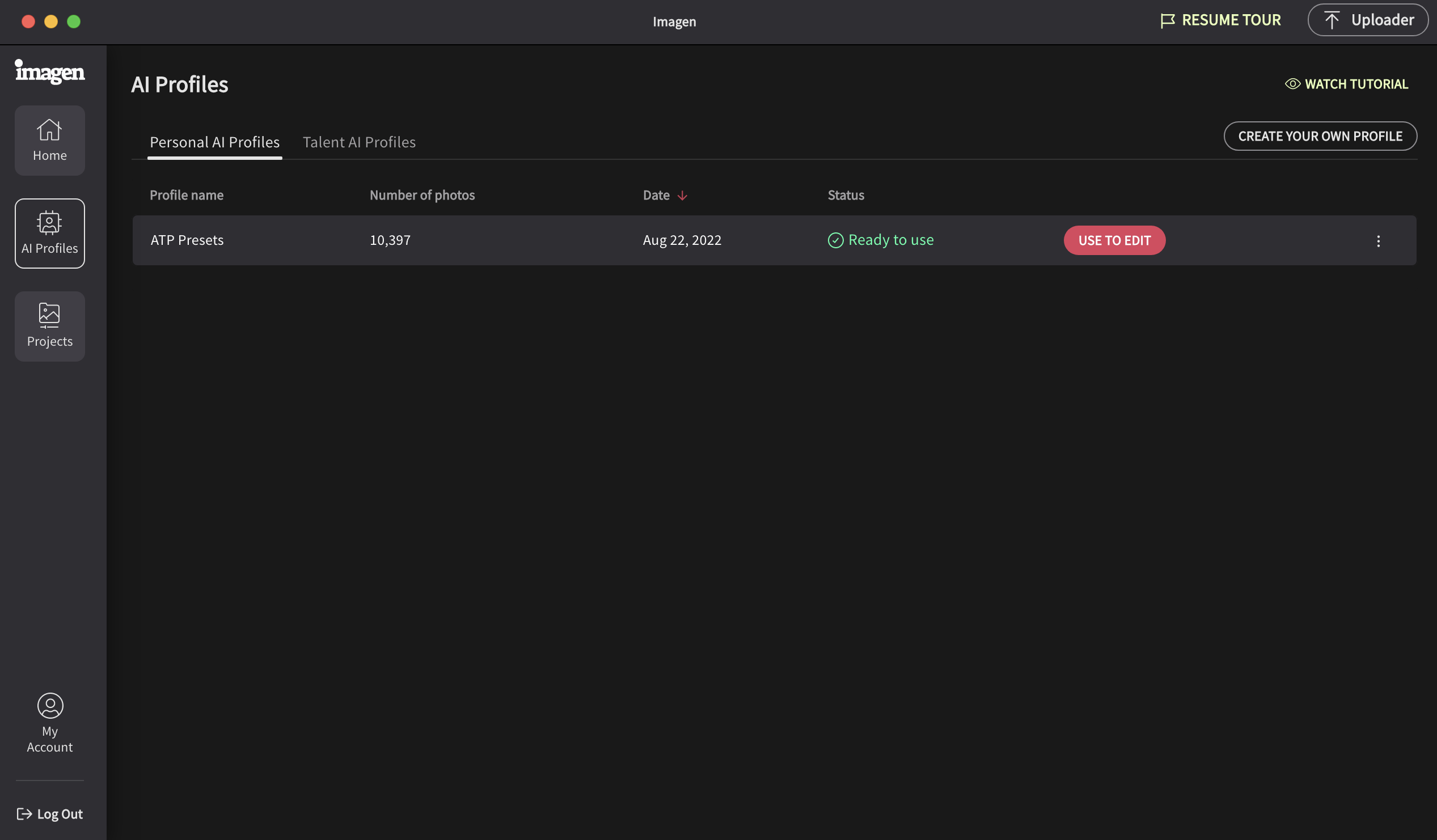
If you’re just starting out and don’t have 5,000 images of your own to create your own profile, you can use the Bright & Clean Imagen AI Editing Profile for a light and airy look. Simply select this profile in Imagen AI and it will apply it’s polished editing style to your photos instantly.
- Once your “Creator Profile” is ready, you can experience the magic of Imagen AI to edit your photos! All you have to do is go to Projects → Create a New Project and upload your entire catalog or folder for editing.
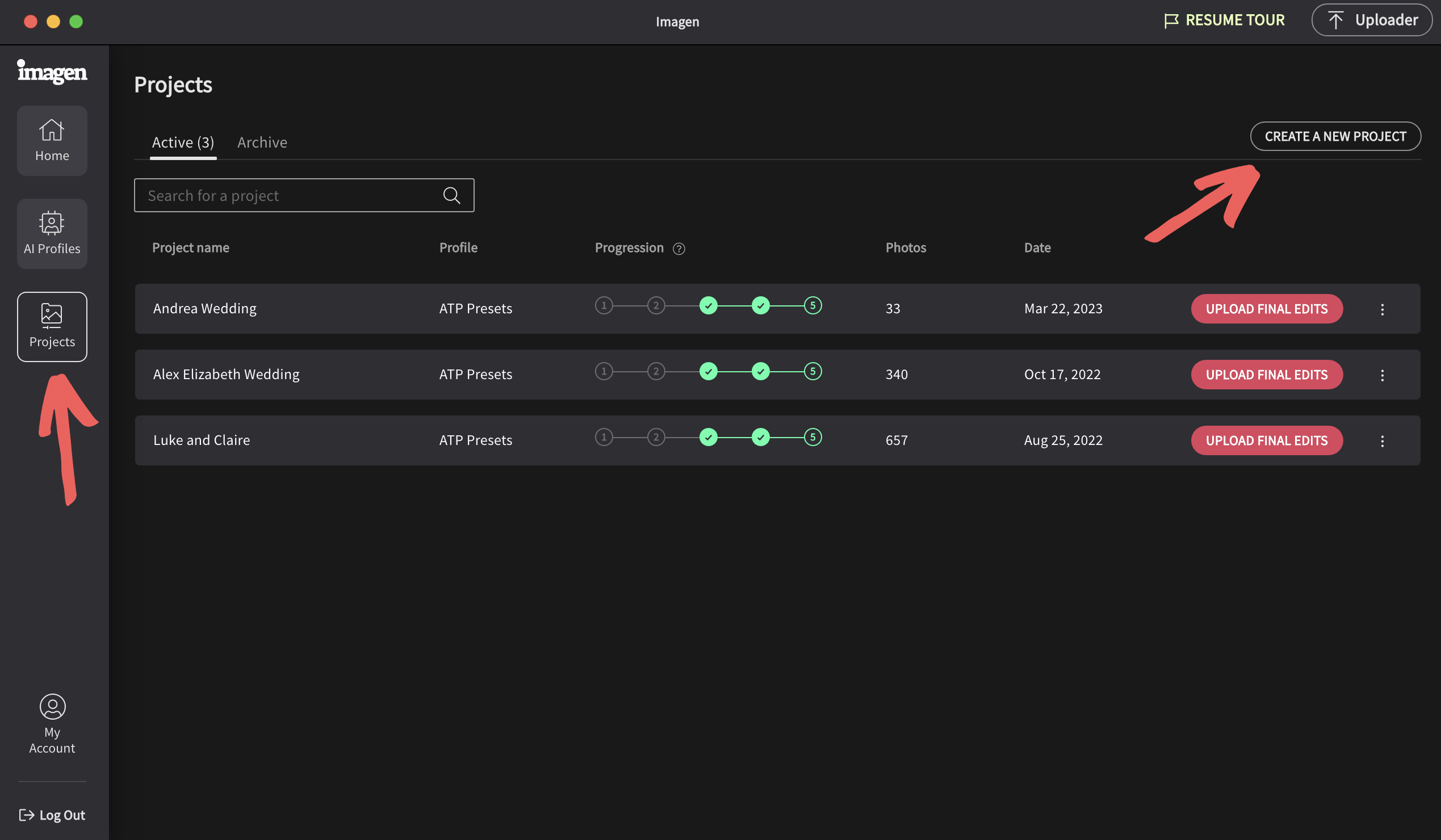
Depending on the size of the catalog, your edits should be ready in about 30 minutes or less.
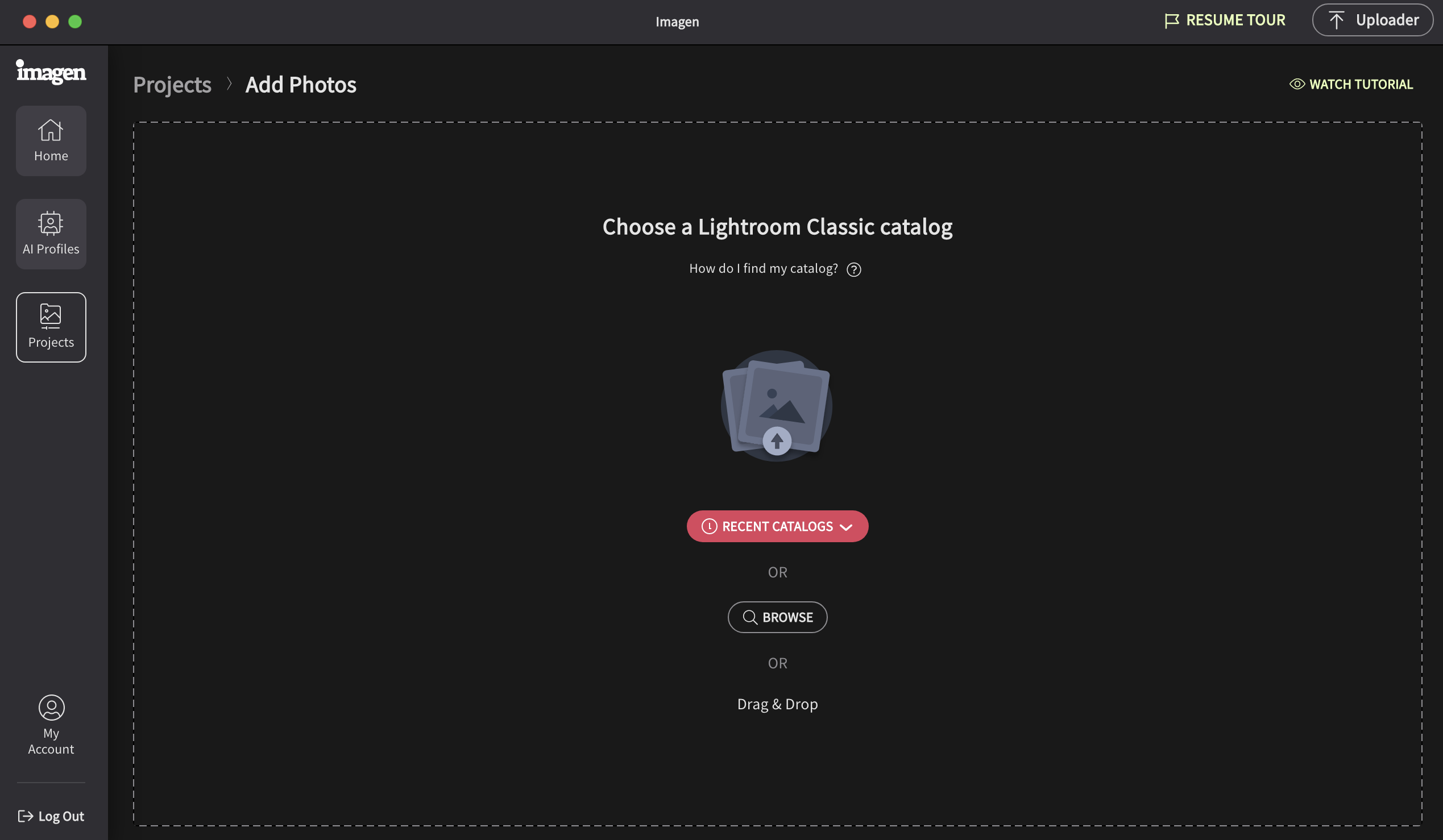
Once they are ready, you can download the edited catalog and open it in Lightroom to review your edits. You can make additional adjustments if needed, and voila… you’re done!
It’s like using the sync option in Lightroom, but it’s 10x faster and the AI does the hard work for you!
And the best part? Imagen AI is incredibly affordable: only $0.05/image which is less than half of what it would cost to hire a photo editor.
Plus, Imagen AI gives you 1,000 free edits just for creating an account… and if you use the link on this page you’ll get an additional 1,000 free edits just for reading this blog post. That’s 2,000 FREE editing credits, basically 2-3 weddings worth of editing FOR FREE. Sign me up!
I truly believe Imagen AI is a game changer for wedding photographers! It’s easy to use and incredibly affordable. If you’re interested in trying it out for yourself, use this link and take advantage of their free trial and get an additional 1,000 free edits on me. Trust me, your editing process will never be the same again!
Pros and Cons of using Imagen AI
✅ Pros
- Massive time savings for large galleries
- Consistent editing style across sessions
- Integrates seamlessly with Lightroom Classic
- Great starting point for final edits
- Eliminates expensing outsourcing
❌ Cons
- Not perfect! Still requires review
- Learning curve at first
- Best results require a strong base shooting style
Is Imagen AI Worth It for Photographers?
- In my experience, YES! Imagen AI is especially worth it if you:
- Shoot weddings or events
- Edit hundreds or thousands of images per job
- Want faster turnaround times
- Prefer to keep editing in house instead of outsourcing
You can check it out here. → Try Imagen AI for FREE!
Final Thoughts: My Imagen AI Review
Imagen AI is one of the most practical AI tools photographers can use right now. If you value your time, want more consistency, and are tired of spending nights glued to Lightroom, Imagen AI is absolutely worth testing.
Disclaimer: For your convenience, this post contains affiliate links. When you use these links we may earn a small commission at no additional cost to you. This helps us to be able to continue sharing free photography tips and resources like this with you.